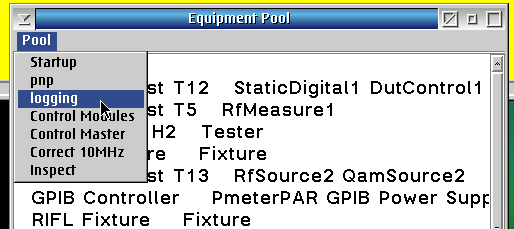
GPIB Instruments can enable logging so the output of the GPIB Instrument POD is also displayed on the Cassini Message Window.
To enable the GPIB interface logging:
- From the Cassini application window, choose System > Equip > Nodes to open the Equipment Pool window.
- Choose Pool > logging from the menu (See Figure 1)
- Open the Messages window by choosing System > Messages and then run a testplan with GPIB Instrument commands.
Figure 1: Equipment Pool; Pool > logging menu