The Cassini application prompts with the Select Cal Data For Sensor for the HP437B while activating instruments in the Tester Configuration, halting the startup process until a selection is made. This prompt may be suppressed by following the steps To Remove Hp437B PMeter77GHz GPIB Instrument from the RiTesterDef below. During normal operations, the prompt should not appear unless a GPIB instrument with address 20 is physically connected to the tester via the RIFL H-Port and GPIB Instrument POD. An operator may not be able to easily identify the Sensor Serial Number and select from the list If the PMeter77GHz instrument is not used, then any selection to the prompt will allow the tester to finish loading
Requirements:
- Cassini Short Cut with Patch GF10RC2A.356-9 Keysight N1913B GPIB Power Meters or later [available 2025-03-19]
- Tester Configuration (RiTesterDef) saved with a HP437B GPIB Instrument
Related Docs:
Updating Cal Coefficients for Keysight Power Sensors (Pmeter77GHz) https://roos.com/docs/RBES-DBTQW3
Cassini Short Cut Guru Applications https://roos.com/docs/RBEH-BB2RVF
Explanation:
A feature was added to force the selection of a Power Sensor Cal Data to avoid issues when default cal data being used instead. While the power sensor's coefficients could be stored in the sensor and loaded into the power meter, the measure time becomes excessive and would make using the instrument impractical. By loading the sensor calibration data directly, Cassini software can correct in software and make measurements much faster. The impact of following the procedure below is that an operator will not see the prompt, but a technician will have to manually add the GPIB instrument and correctly name the instrument PMeter77GHz and select the valid GPIB Address 22 when calibrating the Tester or Fixture. These steps are included with the standard Calibration Procedure, so the convenience of keeping the name and GPIB address is not required and may be offset by the added step during startup for Operators while performing Production runs.
To Remove Hp437B PMeter77GHz GPIB Instrument from the RiTesterDef:
- Launch the latest Cassini "Dev" version from the Short Cuts menu.
- Make any selection in the Select Cal Data For Sensor for the HP437B dialog prompt and choose select or cancel. (See Figure 1)
- Identify the active TesterDef by choosing System > Tester and looking at the Title of the Configuration window. (See Figure 2) It is "Training_60" in this example.
- Choose System > Test Objects to open the Test Browser. (See Figure 3)
- Choose Object Types (1) from the right mouse button menu in the left selection column and select (1) RiTesterDef. Select the Title of the Tester identified in step 2 above (i.e. Training_60) from the middle (2) and right (3) columns and choose Edit Latest (4) from the right mouse button menu in the rightmost 3rd selection pane. (See Figure 4 with the numbers referenced illustrated on the screenshot)
- Remove the line "Pmeter77GHz,model=Hp437B,order=0,defCid=GA6O0KYAAVO1US00,type=gpib,gpibAddress=20,baseInst= " located below the :INSTRUMENTS paragraph by selecting itand pressing the [Backspace] or [Del] keys.
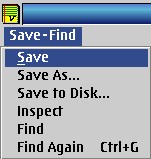
IMPORTANT: Do not modify any other line in the configuration as it can have unintended side effects. Be sure to get the whole line. - Choose Save-Find > Save menu to save the changes back to Guru.
- Close all open windows included the Cassini application. Confirm Are you sure you want to Exit? by choosing Yes.
- Launch the Cassini Short Cut and confirm the prompt no longer appears.
Figure 1: Select Cal Data for HP437B
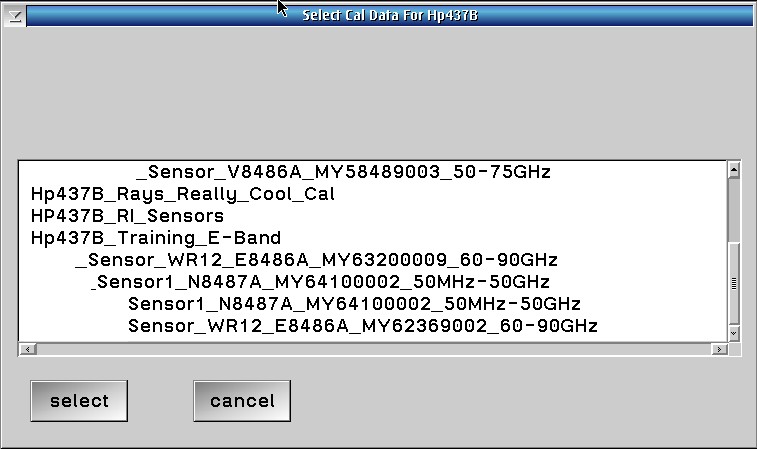
Figure 2: System > Tester: "Training_60" example

Figure 3: System > Test Objects
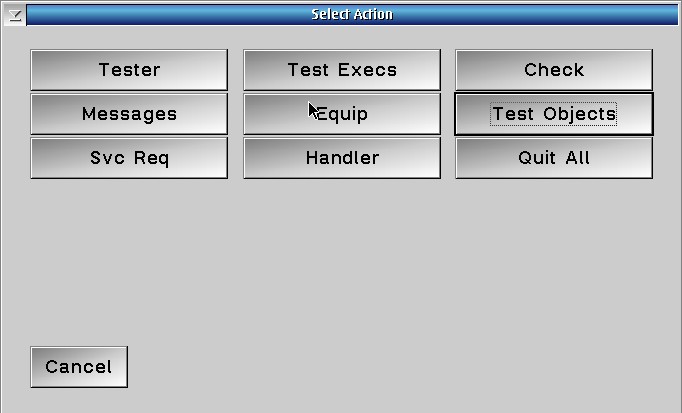
Figure 4: Object Types from left column right mouse button menu
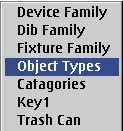
Figure 5: Training_60 example
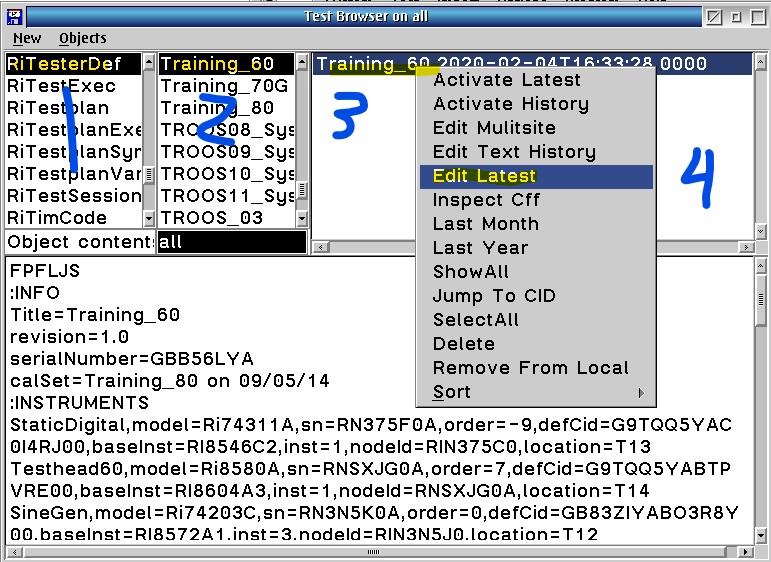
Figure 6: Selecting the line
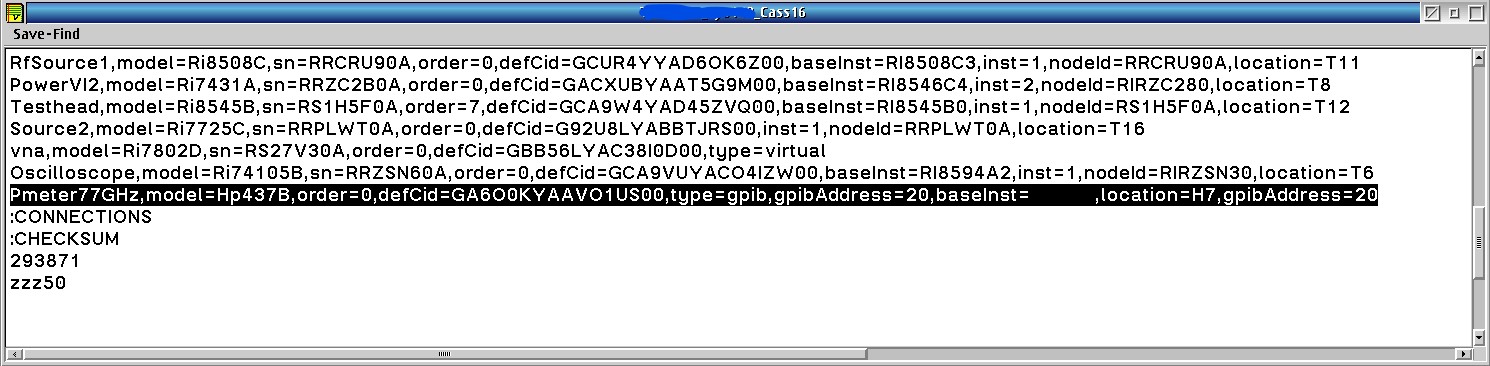
Figure 7: Save-Find > Save