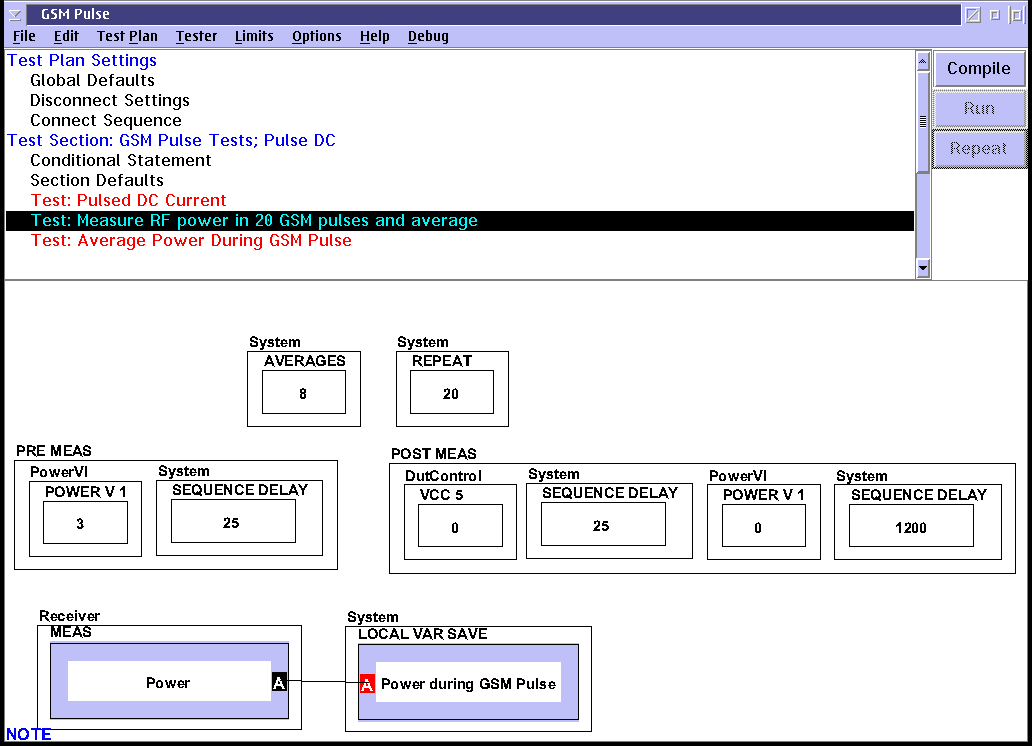
All the RI ATE Systems are synchronous, triggered, integrated systems that allow timing control over all the tester functions to a resolution of 1uSec. Using the Pre and Post measure group functions, the application developer can control the timing of the DC supplies, DC measurements, RF sources, and RF measurements to implement a Pulsed measurement methodology especially useful with high power devices that have significant heating effects over time.
Our modern mobile radio based communication systems utilize time segmented multiplexing schemes, with a short pulse and long duty cycle. An RI ATE System is typically called upon to produce a Voltage and/or RF Signal for a specific duration and repetition rate, while measuring Current and RF power before, during and after the pulse. DC current pulse profiling as well as pulse power averaged over a number of cycles are also typical measurement types.
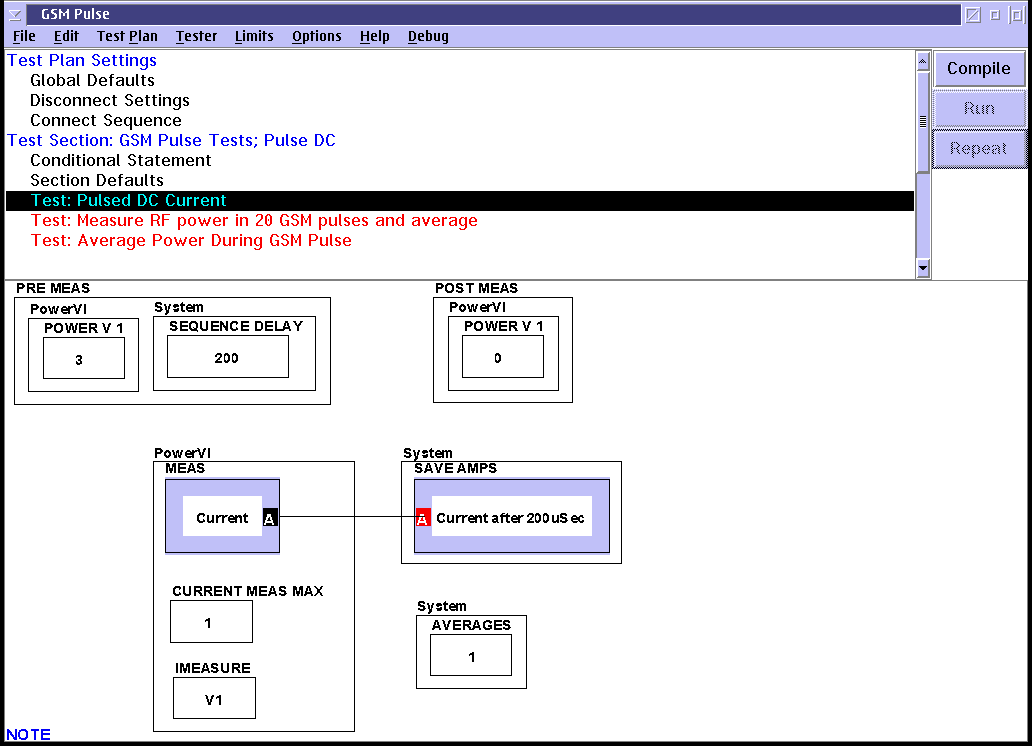
Current Measurement with Pulsed DC
Here is a measurement panel measuring current at 200 uSeconds after the beginning of a voltage pulse.
The setup of pulse capability is a straightforward process, if the buttons and their functions are understood. This document explains how to perform pulse measurements.
The oscilloscope board, after a user specified delay, runs the identical pattern and compares its input to the pattern. Each time the input does not match the pattern, a counter is incremented. After the pattern has completed, the number of counts in the counter show the number of bit errors. Note that, in the BER measurement mode, the oscilloscope board is not operating as an analog digitizer. Rather, it is acting as a digital comparitor, comparing the incoming bit pattern to its pre-determined pattern.
There are specific actions that must happen in the proper sequence for Pulse measurements to be made properly. They are detailed in the table below and represented in the sample test panel following.
 Order | Action | Process |
1) | Set the RF Source , DC Power Supply, or both to be turned off as the default state | Place a Testset Pulse 'MODE' 'Stop' button in the test plan. |
2) | Wait until the waveform generator is able to finish its cycle and stop. (The waveform generator can't stop immediately. Whatever pattern it is running must finish before it can stop.) | Place a 'System 'PAUSE' button in the test plan. |
3) | Enable the oscilloscope board for BER measurements. | Place an 'Oscilloscope' 'MODE' 'berEnablePn7' button as the first item in a pre-measure |
4) | Start the waveform generator. | Place a 'Waveform' 'MODE' 'pmStart' as the second item in the pre-measure. |
5) | Wait a specific time based on the DUT propegation delay. Note that, in most cases, an extra 1/2 bit must be included in the wait time so that the oscilloscope will measure in the middle of each bit rather than at the transition. | Place a 'Waveform' 'DATA DELAY' button in the test plan. This should not be in the pre-measure as the system knows to perform this action between the pmStart and the berStart. Note that this must be in the test panel. It can not be in the section defaults or global defaults. |
6) | Start the oscilloscope measuring BER | Place an 'Oscilloscope' 'berStart' button as the last item in the pre-measure. |
7) | Measure the BER for a specified amount of time.1 | Place an 'Oscilloscope' 'TIME PER DIVISION' button in the test plan. The time specified in the TIME PER DIVISION button becomes the BER measurement time. |
8) | Stop the waveform generator | Place a 'Waveform' 'MODE' 'pmStop' button as the first in a post-measure. |
9) | Stop the oscilloscope | Place an 'Oscilloscope' 'MODE' 'berStop' button as the second in a post-measure |
Pulsed RF Measurements